










DBCopier for Windows
- Trial version
- 4
- 1
- V3.0.2
Download for Windows
View an ad to download for free

- Withdata Software
Copy and migrate data between databases, no scripting
**DBCopier — copy and migrate data between databases, without scripting.**
DBCopier moves data between different database systems quickly and safely.
Instead of writing INSERT/SELECT scripts or exporting and re-importing dumps,
you choose a source and a target and let the wizard do the work: it reads the
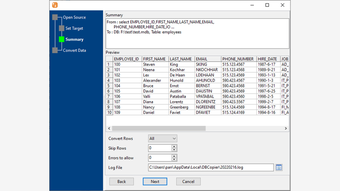
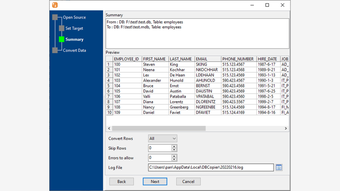
schema, maps columns, shows a preview and a summary, then copies the rows.
**What you can do**
- Copy a single table, a set of tables, or an entire database.
- Migrate a database to a new server (same or different engine).
- Copy the result of a custom query into a target table.
- Consolidate several similar databases into one table.
- Keep a table in sync on a schedule.
- Save and re-run a session; use the command line for automation.
**Supported databases** (source → target, any direction): Microsoft Access,
MySQL, MariaDB, SQL Server, Oracle, PostgreSQL, SQLite, DB2 and more.
**Why people use it**
- No SQL or ETL programming required — wizard-driven.
- Handles schema differences and data-type differences automatically.
- Preview before you copy; see a summary of what changed.
- Runs entirely on your machine; data never leaves your computer.
- Runs on Windows 32/64-bit, macOS and Linux (deb/rpm).
Loading…
App specs
Developer
- Withdata Software
License
Trial version
Version
3.0.2
Latest update
Platform
Windows
OS
Windows 10
Language
English
Downloads
1
Size
8.01 MB
DBCopier for PC
- Trial version
- 4
- 1
- V3.0.2
Download for PC
View an ad to download for free
User reviews about DBCopier
Have you tried DBCopier? Be the first to leave your opinion!
Add reviewTop downloads Database for Windows
Top downloads Database for Windows
Top downloads Database for Windows
Related topics about DBCopier
Latest articles

Epic Games shifts to automation-first development: Tim Sweeney sees a “golden age of gaming”

SN 1181 gets its sharpest view yet: new images reveal a zombie star

The Dark Crystal: Age of Resistance was canceled by Netflix after one season

Ocarina of Time remake previewed: it fixes Zelda’s classic owl annoyance

PS6 could be very expensive: memory and storage alone may top $680
Laws concerning the use of this software vary from country to country. We do not encourage or condone the use of this program if it is in violation of these laws. Softonic may receive a referral fee if you click or buy any of the products featured here.